Works with Grok Bot

Beta for Mac · Beta price £49 for the first 250, standard price £149 after

Gain clarity. Become more productive.

Ether is a ready-made AI dashboard for Mac that lives on your desktop. To-dos, projects, supplier quotes, calendar, sales and a morning brief, kept up to date by Grok Bot. Built for busy owners who want control. See everything, on one dashboard. More productivity, more clarity.

£49

Beta price £49 for the first 250, standard price £149 after

Buy for £49 Try free for 5 days

macOS 14.2+Requires Grok Bot (separate app)14-day money-back guarantee

Love Grok Bot? You'll love Ether.

Ether is a Mac app. Buy now and install it on your Mac.

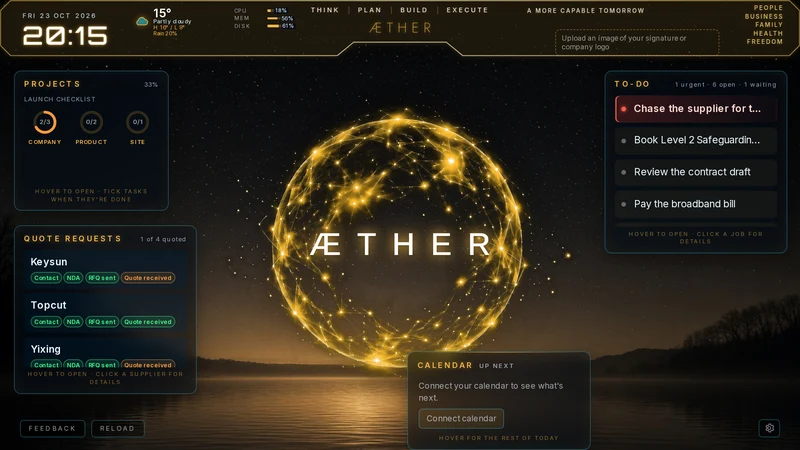
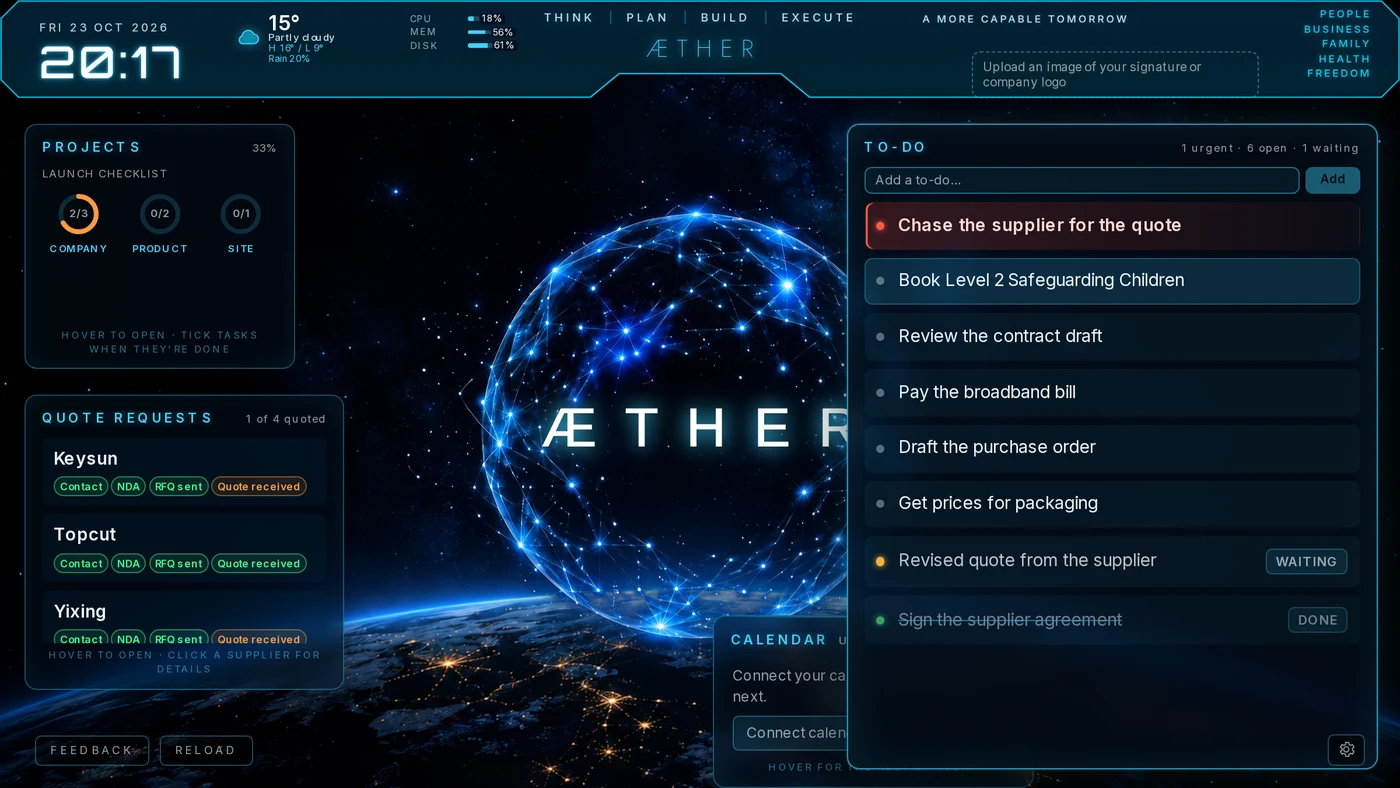
The Ether dashboard: Projects, Quote requests and Meta ads panels on the left, To-do, E-commerce and Calendar on the right, with the clock, weather and the glowing orb in the centre.

The real Ether interface, shown with demo data for a fictional business.

Ready-made

Skip the build. Start with the dashboard.

There are plenty of courses and kits that teach you to build your own AI dashboard. Getting one to run smoothly can take hundreds of hours, and every experiment burns pay-per-token API credit. Ether is already built, tested and running.

Build-your-own kits

  • Weeks of evenings wiring panels, data and prompts together
  • API keys to buy and manage, billed per use as pay-per-token API credit on top of any plan you already pay for
  • Breaks when a service changes, and you're the one fixing it
  • A course teaches the method. You still have to do the work.

Ether

  • Works out of the box. Install, pick a folder, point Grok Bot at the manual.
  • No API keys and no API credit. Ether connects straight to Grok Bot and runs on the usage in your Grok Bot plan. Grok Bot is a separate product.
  • One operating manual tells your bot exactly which files to keep up to date.
  • Updates through a built-in updater that always asks before it installs.

On one screen

Everything you check twenty times a day, open on one AI dashboard.

Each panel shows the short version. Hover and it opens to the detail. Switch off anything you don't need.

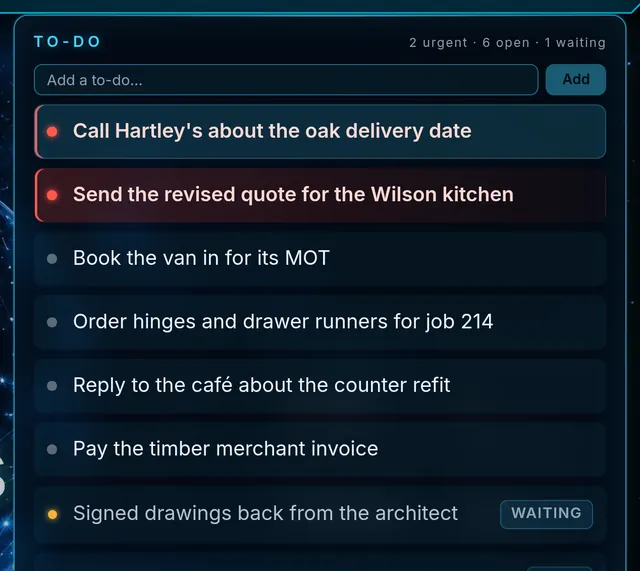
To-do panel showing two urgent jobs in red, open jobs and one job waiting.

To-do

Urgent first, then open, then waiting. Grok Bot can add jobs from your email; you tick them off on screen.

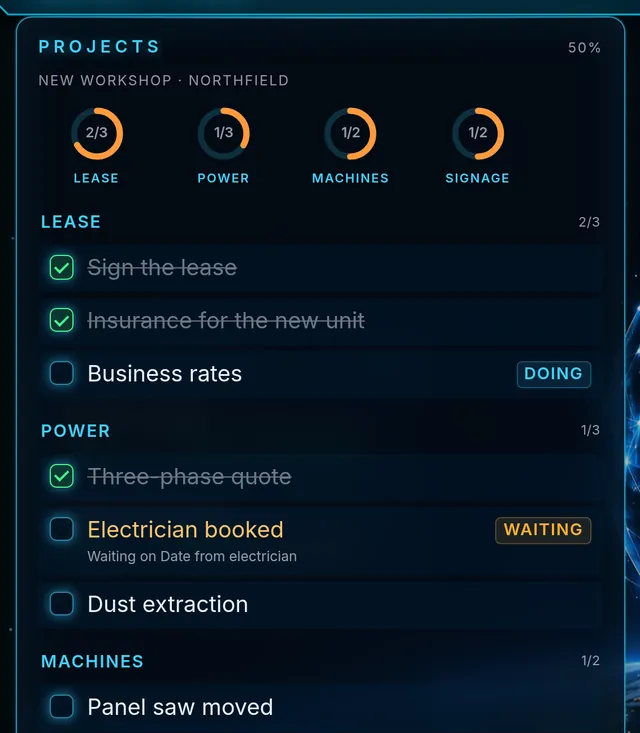
Projects panel with progress rings per category and tick boxes for each task.

Projects and boards

A progress ring per stage, tasks you or your bot can tick, and as many separate project boards as you like.
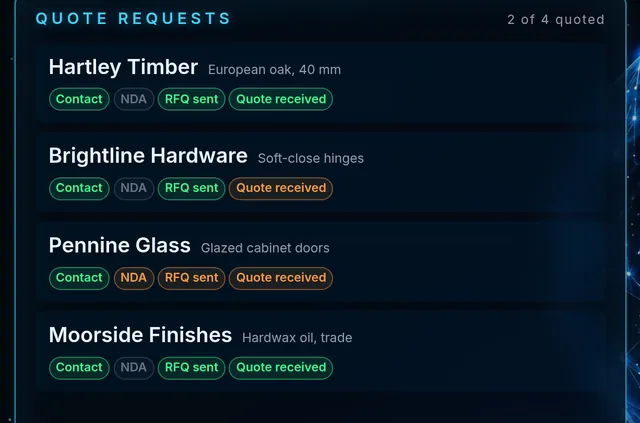
Quote requests panel tracking four suppliers through Contact, NDA, RFQ sent and Quote received.

Quote requests

Every supplier tracked from first contact to NDA, RFQ and quote, with prices and next actions in the detail.
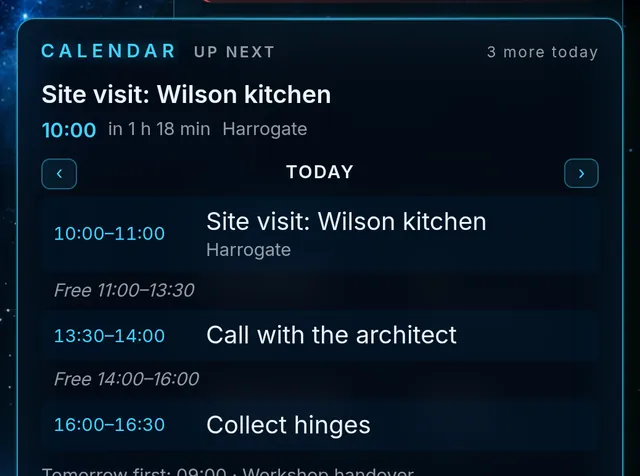
Calendar panel showing the next event with a countdown and the rest of today with free gaps.

Calendar: Up Next

Your next event with a countdown, then the rest of today with the free gaps. Reads the calendars already on your Mac.
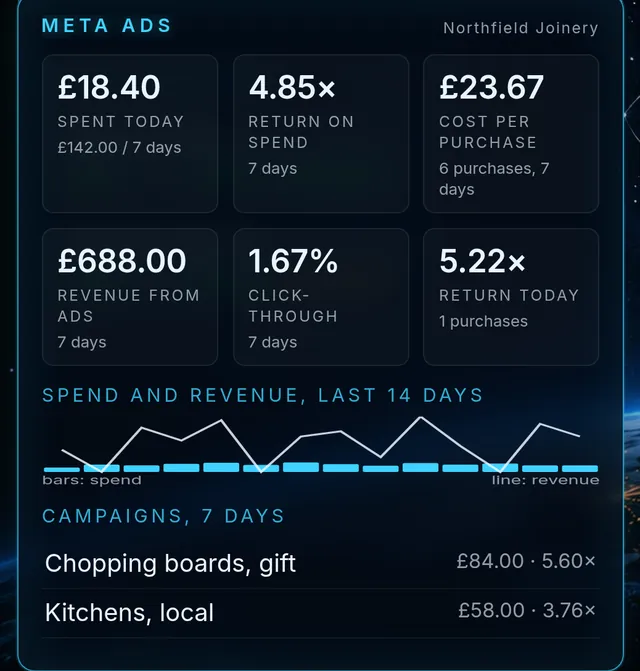
Meta ads panel showing spend, return on spend, cost per purchase and a 14-day chart.

Sales and Meta ads

Shopify sales, orders and abandoned carts, plus ad spend, return on spend and cost per purchase from Meta.
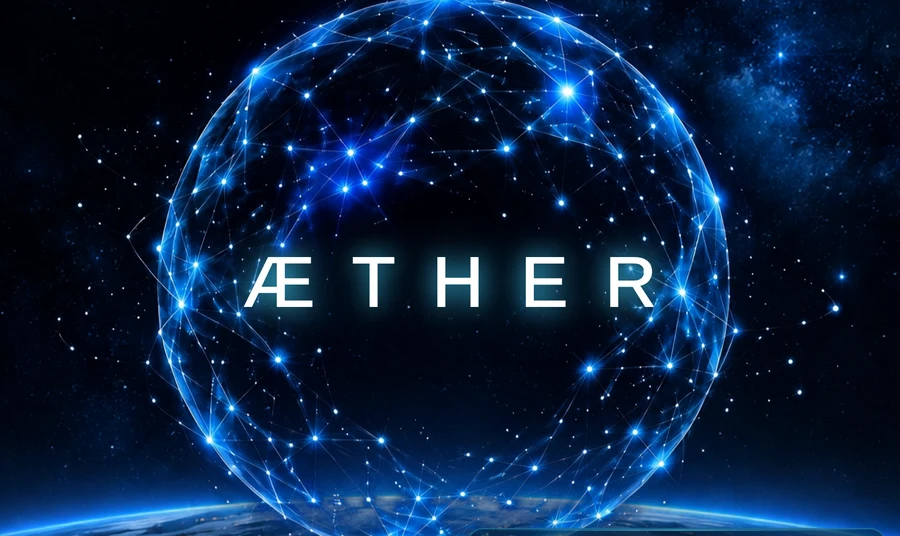
The Ether orb, a glowing network sphere with the bot's name across it.

Clock, weather and the orb

The time, today's weather with hourly rain, and an orb that moves with your bot's voice.

Buy for £49 Try free for 5 days

Better informed

An AI morning brief that's ready before you are.

When your Mac wakes, Ether writes a fresh brief of your day: weather, calendar, to-dos, projects, quotes and sales. Ask Grok Bot "what's on today?" and it answers from the brief straight away, with your email digest alongside.

  • Written by Ether on start-up, on wake, and whenever your bot asks for one
  • Your bot leads with what needs you: urgent jobs, replies, the next meeting
  • Set the tone with the banter dial, from strictly serious to full wit

More focused

Calm by design. Your bot, with a face.

Ether sits full screen on a second display or behind your work. No feeds to scroll. Glance, see what matters, carry on.
  • The orb follows your bot's voice, never yours. Ether doesn't use the microphone.
  • Low tones swell it, vowels make it glow, S and T sounds make it sparkle
  • When the bot is quiet, the orb just breathes
Ether with the To-do panel opened on hover, showing the full job list next to the orb.

Make it yours

Three looks. Your layout. Your logo.

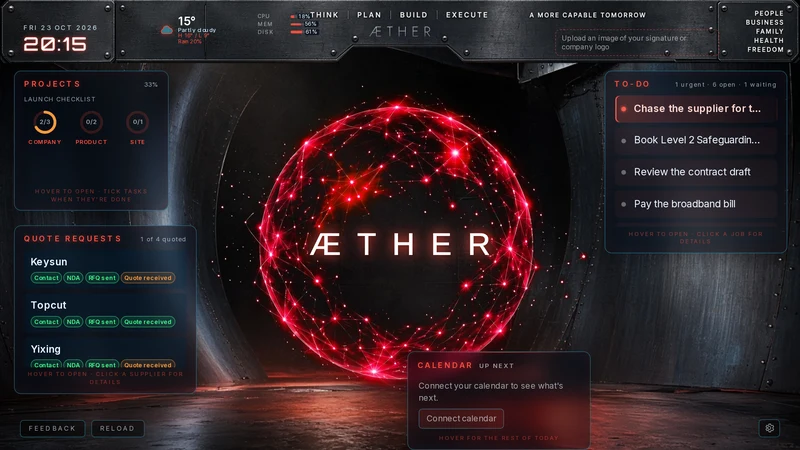
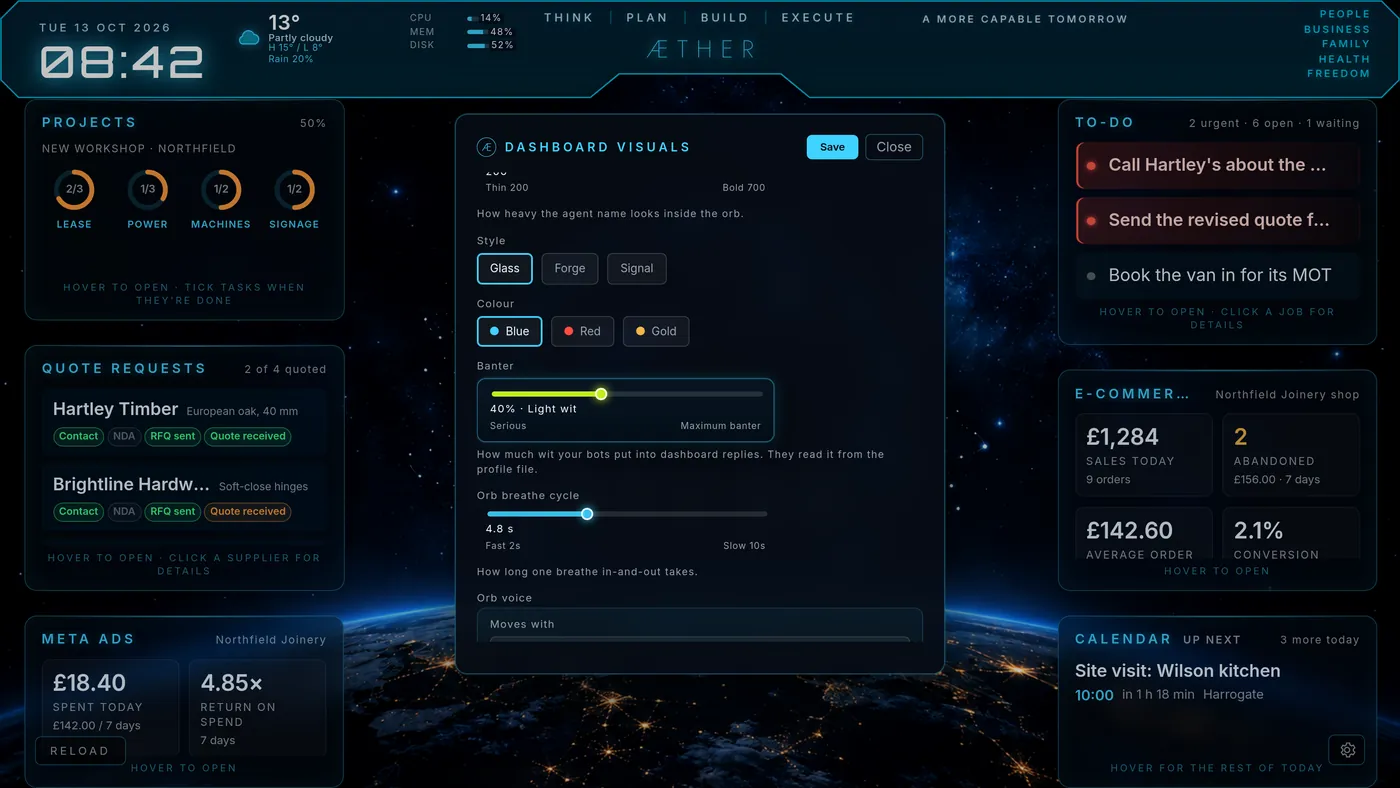
Choose Glass, Forge or Signal in blue, red or gold. Drag and resize every panel, add your signature or company logo, and add simple panels of your own without an app update.
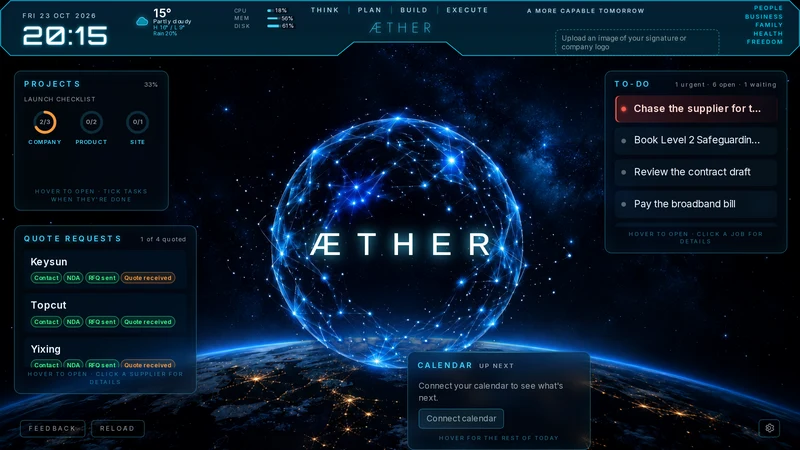
Ether in the Glass style, blue.
Glass
Ether in the Forge style, red.
Forge
Ether in the Signal style, gold.
Signal

Private by default

Your data lives in your folder. Not ours.

Everything Ether shows is a plain file in a folder you choose: on this Mac, or in your Google Drive so it's backed up. Grok Bot reads and writes those files, and holds the connections to your email, Shopify and Meta, so Ether never needs those logins.
  • Optional dashboard password encrypts your files with AES-256-GCM
  • The password is kept in your Mac's Keychain
  • Your calendar is read on your Mac. Nothing leaves your Mac for it.
  • No advertising cookies unless you click Accept. If you do, Meta (Facebook) sets cookies to measure our ads; Reject and nothing is set.
Ether Settings showing style, colour, the banter dial and orb controls.

Up and running

How Ether works: three steps, no code.

  1. Install Ether

    Open the download, drag Ether to Applications, and enter the licence key from your email.

  2. Pick your look and folder

    The setup wizard asks your name, your bot's name, a style and colour, your panels and where to keep the files.

  3. Point Grok Bot at the manual

    Give Grok Bot access to the folder and ask it to read the Ether manual. It sets up the panels and routines, and reports back.
Beta launch price

Ether for Mac

£49

Beta price £49 for the first 250, standard price £149 after

Limited to the first 250 beta users

  • The full app: every panel, all three looks, project boards and add-on panels
  • Morning brief, voice-reactive orb and banter dial
  • Optional encryption for your data folder
  • One payment, no subscription. Updates for the 0.x and 1.x versions included
  • One licence for 1 Mac
  • The Grok Bot operating manual, so your bot knows exactly what to do
Buy for £49 Try free for 5 days

14-day money-back guarantee, no questions asked. Refund policy

Secure checkout by PolarLicence key by emailmacOS 14.2+

Questions

What do I need?
A Mac running macOS 14.2 or later, and Grok Bot with the Grok Bot Mac app, which gives your bot access to Ether's folder. Shopify, Meta ads and email are optional: connect them in Grok Bot if you want those panels.
Do I need Grok Bot?
Yes. Ether is the screen; Grok Bot does the work. It keeps your to-dos, projects, quotes and sales up to date, and reads you the brief. Grok Bot is a separate app with its own plan; Ether has no API keys and runs on the usage in your Grok Bot plan.
What does "beta" mean?
Ether works and is in daily use, but it's still being polished. Beta users get the launch price and new versions as they're released. Expect the odd rough edge, and tell us about it at [email protected].
What happens to the price after the beta?
Beta price £49 for the first 250, standard price £149 after. If you buy at £49, that's all you pay for your licence.
Are updates included?
Yes. Ether has a built-in updater (Ether › Check for Updates…) that always asks before it installs. Your licence includes every 0.x and 1.x update.
How does the licence key work?
After checkout, Polar emails your receipt with your licence key. Enter it in Ether's setup wizard, or later in Settings › Data and licence. One licence covers 1 Mac. More on getting started.
Can I get a refund?
Yes. If Ether isn't for you, email us within 14 days of purchase for a full refund, no questions asked. See the refund policy.
Where does my data go?
Into a folder you choose, on your Mac or in your own Google Drive. Ether reads the files and shows them; your bot keeps them up to date. You can encrypt the folder with a dashboard password. Your calendar is read on your Mac and nothing leaves it. Read the privacy policy.
Is it Mac only?
Yes. Ether is a native Mac app and needs macOS 14.2 or later. There's no Windows or iPhone version.
What if I already pay for a dashboard course or kit?
Keep learning if you enjoy it. Ether is for people who want the dashboard working today, without hundreds of hours of building. Build-your-own dashboards connect to an AI through API keys, billed per use as pay-per-token API credit on top of any plan you already pay for. Ether has no API keys and no API credit: it connects straight to Grok Bot and runs on the usage in your Grok Bot plan. Grok Bot is a separate product with its own plan.

Open your Mac to a calmer day.

Ether, for Mac and Grok Bot. Beta price £49 for the first 250, standard price £149 after.

Buy for £49 Try free for 5 days

Limited to the first 250 beta usersmacOS 14.2 or later